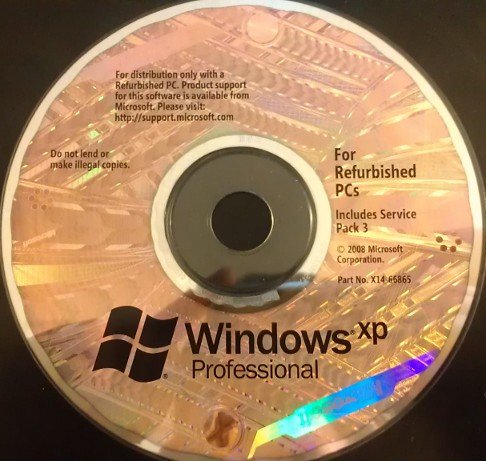
Windows XP Professional (x86 SP3) Overview
Windows XP Professional x86 is the business-class edition of Windows XP and the most capable 32-bit version Microsoft released for desktop PCs. It has everything in XP Home, plus advanced tools for offices, power users and IT professionals, such as joining a domain, Remote Desktop, file encryption and Group Policy.
This is the original Windows XP Professional with Service Pack 3, the final and most refined release of classic XP. SP3 brings together more than a thousand fixes and updates in one installation, so the system is more stable and secure right from the first boot. It works with almost every XP-era program, game and driver, which makes it the best choice for retro computing, older hardware and virtual machines.
Key Features of Windows XP Professional x86
1. Everything in XP Home, and more
XP Professional includes every Home Edition feature: the Luna interface, Fast User Switching, System Restore, Windows Media Player and Movie Maker. On top of that it adds tools built for work and advanced users.
2. Domain join
Professional can join a Windows Server domain, so it fits into office and school networks with central logins and management.
3. Remote Desktop
You can connect to your XP Professional PC from another computer and use it as if you were sitting in front of it. With SP3, Remote Desktop Protocol 6.1 adds ClearType and 32-bit color support.
4. Encrypting File System (EFS)
Encrypt individual files and folders so only your user account can open them.
5. Group Policy and advanced security
Administrators get detailed control over users, settings and permissions through Group Policy and NTFS file permissions.
6. Dual-processor support
XP Professional supports two physical CPUs, while XP Home supports only one.
7. Internet Information Services (IIS)
Run a small local web server, which is useful for developers and for testing websites.
8. Offline Files and Backup
Keep network files available offline, and protect your data with the built-in Backup Utility and Automated System Recovery.
9. Best compatibility
The 32-bit version runs 16-bit and DOS programs, classic games and old 32-bit drivers that 64-bit Windows can’t handle.
What’s New in Service Pack 3
- Around 1,174 fixes and earlier updates in a single package
- WPA2 security improvements for safer Wi-Fi
- Better Data Execution Prevention (DEP) controls
- A FIPS 140-2 certified cryptographic module
- Windows Imaging Component for camera and image format support
- Remote Desktop Protocol 6.1, with ClearType and 32-bit color
- WMI repository fixes borrowed from Windows Vista
- Support for Internet Explorer up to version 8
Windows XP Home vs Professional
| Feature | XP Home | XP Professional |
|---|---|---|
| Join a Windows domain | ❌ | ✔ |
| Remote Desktop (host) | ❌ | ✔ |
| File encryption (EFS) | ❌ | ✔ |
| Group Policy | ❌ | ✔ |
| Physical CPUs supported | 1 | 2 |
| IIS web server | ❌ | ✔ |
| Multilingual User Interface | ❌ | ✔ |
Is Windows XP Professional SP3 Still Worth Using?
For your everyday computer, no. Regular security updates stopped in 2014, and modern browsers and apps no longer support XP.
It’s still very useful for:
- Retro gaming and classic software
- Old business tools and hardware that only work on XP
- Virtual machines, for testing, learning and labs
- Collectors and tech fans exploring Windows history
Keep it offline or run it inside a virtual machine for safety.
Frequently Asked Questions
What is the latest version of Windows XP Professional 32-bit?
Service Pack 3 (Build 5.1.2600.5512) is the final version.
Can XP Professional 32-bit use more than 4 GB of RAM?
No. It can use about 3.5 GB at most. For more memory, use Windows XP Professional x64 Edition.
What is the difference between XP Home and XP Professional?
Professional adds domain join, Remote Desktop hosting, EFS encryption, Group Policy, IIS, dual-CPU support and multilingual options.
Does Windows XP Professional still get updates?
No. Extended support ended on April 8, 2014. The final emergency patch (BlueKeep) came out in May 2019.