Windows XP Tablet PC Edition Overview
Windows XP Tablet PC Edition is a special version of Windows XP made for Tablet PCs, which are laptops and slates you can control with a digital pen. Microsoft released it on November 7, 2002. It’s a complete superset of Windows XP Professional, so it includes every Pro feature, plus tools for writing, drawing and taking notes by hand.
With Tablet PC Edition, the pen becomes a real input device. You can write notes in your own handwriting, turn handwriting into typed text, draw directly on documents and use speech recognition, all built into Windows. Apps like Windows Journal and Sticky Notes made the tablet feel like a digital notebook.
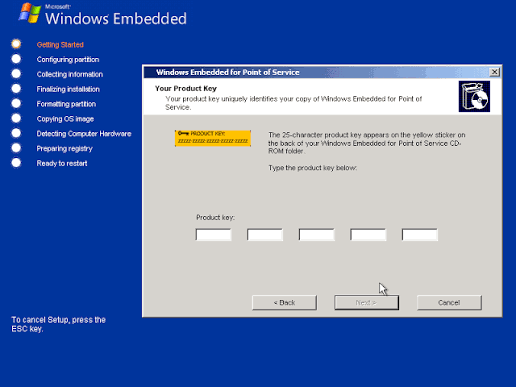
One thing to know before installing: during the first part of setup, it shows up as “Windows XP Professional.” That’s normal. It identifies itself correctly as Tablet PC Edition later in the installation.
Key Features of Windows XP Tablet PC Edition
1. Everything in Windows XP Professional
Tablet PC Edition includes all XP Professional features: domain join, Remote Desktop, EFS encryption, Group Policy and more. It runs all regular XP software.
2. Tablet PC Input Panel (TIP)
An on-screen panel that lets you enter text in any program using handwriting or an on-screen keyboard. Your handwriting is converted to typed text automatically.
3. Digital ink
Write and draw directly on the screen with the pen. Your handwriting can be saved as “ink,” just like writing on paper, and it stays searchable.
4. Windows Journal
A digital notebook for handwritten notes. You can write, sketch, highlight, mark up documents and even search through your handwriting.
5. Sticky Notes
Quickly jot down short handwritten or voice notes, like real sticky notes on your desk.
6. Speech recognition
Dictate text and control programs with your voice, which is handy when you’re not using a keyboard.
7. Screen rotation
Switch between portrait and landscape instantly, depending on how you hold the tablet.
8. Pen-friendly games and tools
It includes InkBall, a fun game made for the pen, plus pen gestures and tablet button support.
9. Office integration
Microsoft Office (especially Office 2003) supports ink, so you can write comments and notes directly into Word, Outlook and OneNote.
Tablet PC Edition 2002 vs Tablet PC Edition 2005
| Feature | Original (2002) | Edition 2005 |
|---|---|---|
| Release date | November 7, 2002 | August 25, 2004 |
| Codename | — | Lonestar |
| Base | XP Professional | XP Professional SP2 |
| Input Panel | Fixed panel at the bottom of the screen | In-place panel next to the text box |
| Handwriting recognition | Basic | Much better, context-aware |
| Security | Standard XP | XP SP2 security (Firewall, Security Center) |
| Upgrade | — | Free through Windows XP SP2 |
Is Windows XP Tablet PC Edition Still Worth Using?
For daily use, no. Support ended in 2014, and modern browsers and apps don’t run on XP.
It’s still interesting for:
- Old Tablet PCs from 2002 to 2007 that you want to bring back to life
- Collectors and retro tech fans exploring the history of pen computing
- Trying Windows Journal and InkBall in their original form
- Virtual machine testing
Keep it offline or run it inside a virtual machine.
Frequently Asked Questions
Is Windows XP Tablet PC Edition the same as XP Professional?
It’s a superset of XP Professional. It has every Pro feature plus pen, ink and handwriting tools.
Why does setup say “Windows XP Professional”?
That’s normal. The first stage of setup shows Professional, and it identifies as Tablet PC Edition later in the installation.
Can I install it on a normal PC without a pen?
It’s designed for Tablet PCs with a digitizer. On a normal PC, the pen features won’t be useful.
What is Tablet PC Edition 2005?
A free upgrade delivered with Windows XP Service Pack 2. It brought a redesigned Input Panel, better handwriting recognition and SP2 security.
Does it still get updates?
No. Support ended on April 8, 2014.